
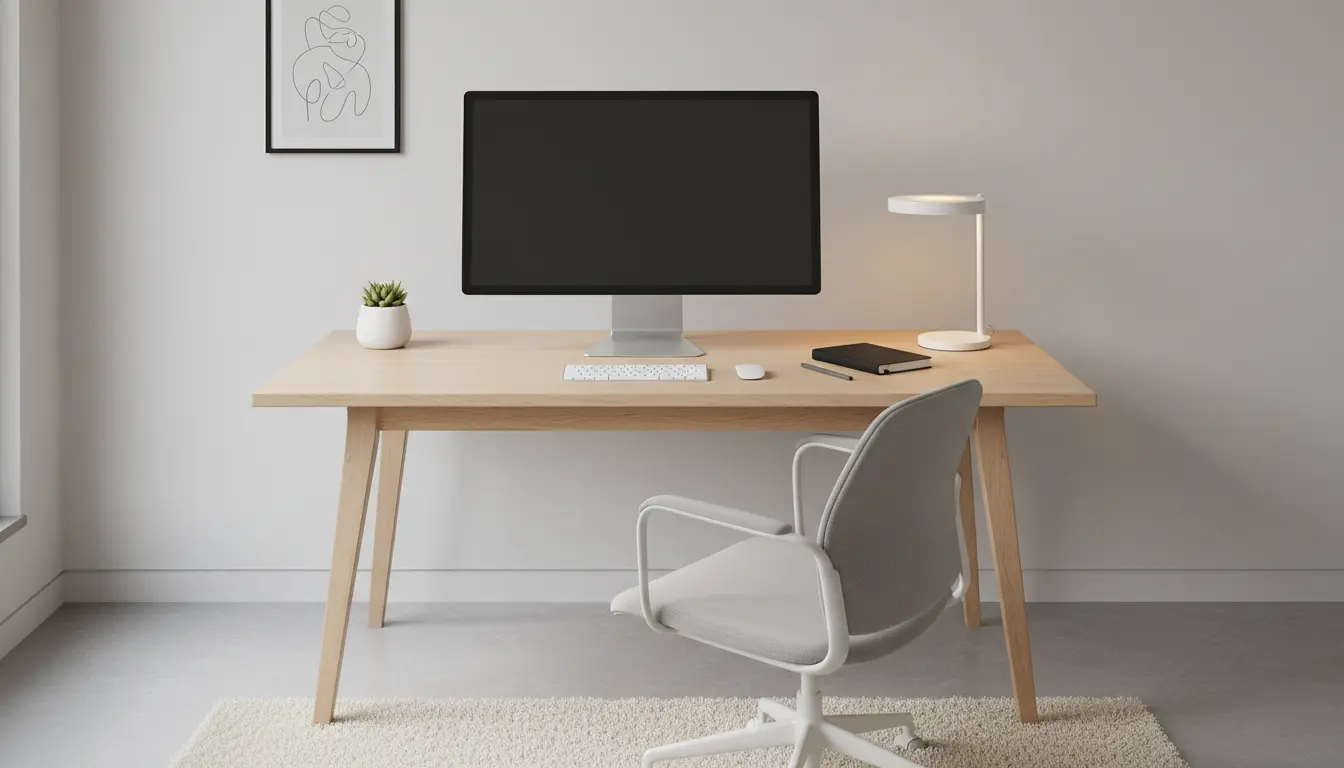
Home Office Setup Guide: Quick Overview
Setting up a home office well reduces distractions and improves productivity. This guide gives practical, step-by-step advice you can apply in a small room, a corner, or a dedicated office.
Focus on layout, lighting, ergonomics, and workflow to create a workspace that supports sustained focus and comfort. Small changes often deliver the biggest improvements.
Plan Your Space in This Home Office Setup Guide

Start with a simple plan listing what you need to do your daily tasks comfortably. Consider desk size, storage, power outlets, and where natural light comes from.
Measure the available area and sketch a basic layout. A measured plan prevents buying furniture that doesn’t fit and helps prioritize essential items first.
Choosing a Location for Home Office Setup
Pick a quiet spot with minimal foot traffic. If possible, place your desk perpendicular to a window for natural light without direct screen glare.

Consider proximity to outlets and internet connection. If the strongest Wi-Fi signal is in another room, plan for a wired connection or mesh Wi-Fi placement.
Basic Layout Checklist
- Desk that fits your monitor and keyboard with 60–80 cm depth.
- Chair with lumbar support and adjustable height.
- Lighting that reduces screen glare and provides even illumination.
- Storage for documents and supplies within reach.
Ergonomics: Core of the Home Office Setup Guide
Ergonomics prevents pain and mental fatigue. Arrange your workstation to support a neutral posture and frequent movement.
Small adjustments to monitor height, chair settings, and keyboard placement make long work sessions comfortable and sustainable.
Ergonomic Positioning Tips
- Top of the monitor at or just below eye level.
- Forearms parallel to the floor when typing.
- Feet flat on the floor or on a footrest.
- Use an external keyboard and mouse if working on a laptop for long periods.
Lighting and Sound in the Home Office Setup Guide

Good lighting improves alertness and reduces eye strain. Aim for a mix of natural and artificial light with neutral color temperature.
Control sound with rugs, soft furnishings, or a bookshelf. Simple acoustic panels or heavy curtains can cut echo and ambient noise.
Lighting Recommendations
- Use a desk lamp with adjustable brightness for task lighting.
- Choose LED bulbs around 4000K for a neutral, daylight-like tone.
- Avoid strong backlight behind your monitor; diffuse bright window light with blinds.
Equipment and Technology for a Better Home Office Setup
Select equipment that matches how you work. You do not need the most expensive gear—prioritize reliability and comfort.
Start with a good chair, an appropriate desk, and a second monitor if your work involves many windows or documents.
Essential Tech Items
- Reliable laptop or desktop with sufficient RAM for your apps.
- External monitor (24–27 inches is common for desk setups).
- Wired or high-quality wireless mouse and keyboard.
- Headset or speakers for calls and focus music.
Workflow and Organization Tips in the Home Office Setup Guide
Design a workflow that reduces friction. Keep frequently used items within arm’s reach and archive less-used files elsewhere.
Use cable management to avoid clutter and create a calm, distraction-free desk. A clean desk encourages a clear mind.
Daily Routine and Habits
- Set a consistent start time and end-of-day ritual.
- Use time blocks for focused work and short breaks every 50–60 minutes.
- Keep a physical or digital to-do list with three priority tasks per day.
Adding one 5-minute stretch break every hour can reduce neck and shoulder pain and improve long-term comfort for remote workers.
Case Study: Small Apartment, Big Improvement
Maria, a freelance editor, converted a 2.5 m x 2 m corner into an efficient home office. She started with just a laptop on a dining table and felt constant back pain.
She measured the space, bought a compact sit-stand desk, an ergonomic chair, and a monitor arm. She placed the desk near the window for light and used a slim shelf for reference books.
Within two weeks Maria reported less fatigue and more morning focus. The sit-stand option helped reduce stiffness, and a cable tray kept cords tidy for a calm workspace.
Quick Buying Guide for This Home Office Setup Guide
When shopping, prioritize quality and warranty over trends. Test chairs if possible and choose desks with solid assembly reviews.
Consider budget ranges: entry-level ergonomic chairs are affordable, mid-range monitors offer better color and size, and surge protectors safeguard equipment.
Buyers Checklist
- Measure the space first.
- Read reviews on durability and comfort.
- Check return policies for chairs and desks.
- Buy a surge protector with enough outlets for your setup.
Final Steps in Your Home Office Setup Guide
Test your setup for a few days and tweak heights, lighting, and organization. Small iterative changes create a workspace that truly fits your routine.
Document what works and what does not, and be willing to invest in one or two pieces that make a big difference in comfort and productivity.
Use this home office setup guide as a checklist: plan, choose ergonomic furniture, manage light and sound, select reliable tech, and refine your workflow. These steps help create a sustainable, productive workspace at home.